obs studio tool
DOJECT - Advanced Vector Editor for OBS
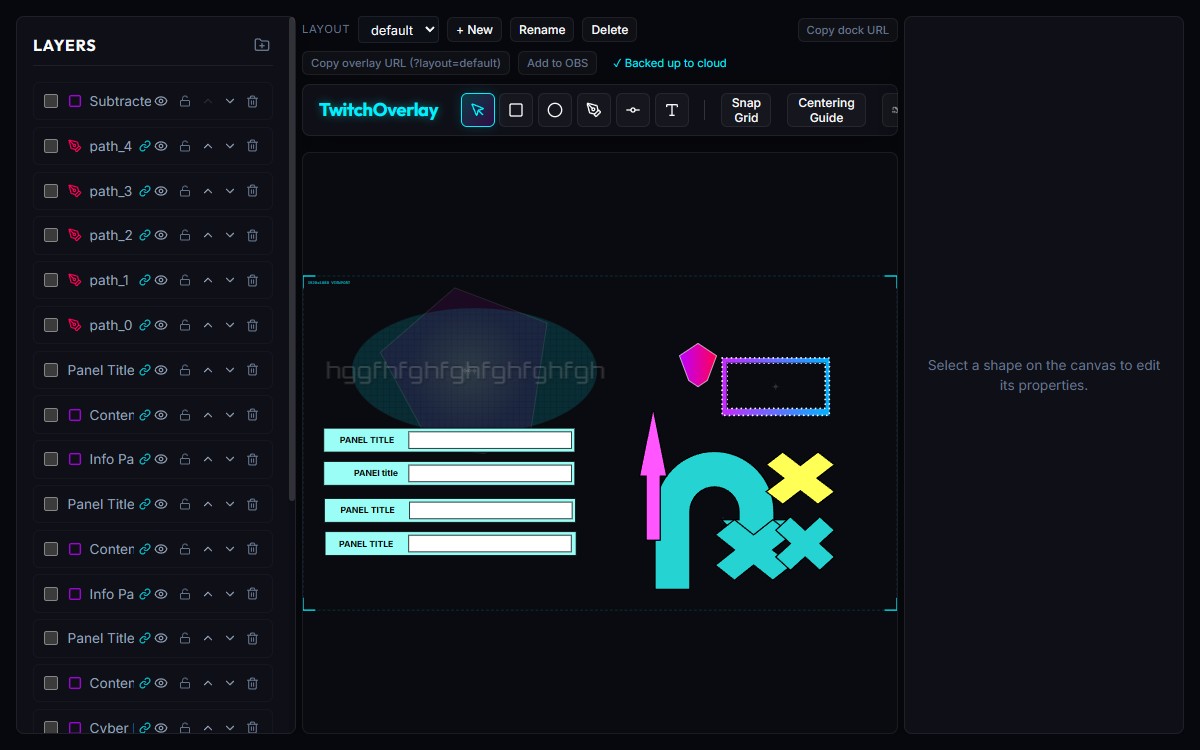
A free vector graphics editor built into OBS Studio. Create advanced custom graphics for your stream, including overlays, alerts, and panels. Use the built-in tools to draw shapes, add text, and apply effects to create a unique look for your stream without leaving OBS.
// how it works
Add the editor as an OBS dock
In OBS Studio, go to Docks → Custom Browser Docks. Paste the editor URL. The vector editor appears as a panel inside your OBS workspace.
Add the overlay as a transparent Browser Source
Add a Browser Source to each scene using the overlay URL. Set it to 1920×1080 with a transparent background. This is what your stream audience sees.
Design and stream live
Draw shapes, set gradients, add text. Every change syncs instantly to the overlay via BroadcastChannel — no file saving, no refresh, no export step.
// features
Live OBS Sync
Designs sync instantly to your OBS scene via the BroadcastChannel API. Zero latency, no refresh, no file export required.
Full Vector Toolset
Rectangles, ellipses, custom paths, and text layers. Boolean operations: union, subtract, exclude. Full path node editing.
Gradient Engine
Linear and radial gradients with a full colour picker. Apply gradients as fills or use them as animated background layers.
Twitch Alert Integration
Link shape and text layers to Twitch EventSub events — follows, subscriptions, raids, and cheers. Configure templates like "{user} just subbed!" and trigger animations live.
Per-Scene Layouts
Each OBS scene gets its own vector layout. Switch scenes in OBS, the overlay updates automatically. Multiple layouts, one editor.
Preset Library
Start from ready-made assets: webcam frames, angled screen headers, alert badges, info panels. Export layouts as SVG or JSON.
Design your overlay without leaving OBS. Every shape, gradient, and animation updates live on stream through native SVG rendering — no image exports, no re-imports.
// faq
How does the vector editor work inside OBS?
The editor runs as a Browser Source dock inside OBS Studio. You design in the dock and the overlay (a separate transparent Browser Source in your scene) updates in real time via the BroadcastChannel API — no file saving or refreshing needed.
Do I need to install anything?
No installation required. Add the editor URL as a Custom Browser Dock in OBS Studio (Docks → Custom Browser Docks) and add the overlay URL as a transparent Browser Source in each scene. The setup helper can generate the OBS config file automatically.
Is it free?
Yes, completely free. The vector editor is hosted at dojyn.com/doject/ and requires no account to use.
Can I use it outside of OBS?
Yes — add ?standalone=1 to the URL to bypass the OBS detection gate and use the editor in any browser. Useful for designing layouts before setting up OBS.
Does it work with Streamlabs or other tools?
The editor and overlay are standard Browser Sources, so they work in any streaming software that supports Browser Sources — Streamlabs, XSplit, and others. Real-time sync via BroadcastChannel requires both the dock and the overlay to run in the same browser engine.
Can I export my designs?
Yes. Layouts can be exported as raw SVG or as a JSON file that can be re-imported later. The JSON format captures all layer properties, gradients, and animations.